Google Chrome Enterprise: Best Update with Proven Security Features
Google Chrome Enterprise brings exciting updates with Gemini Auto Browse and enhanced security features.
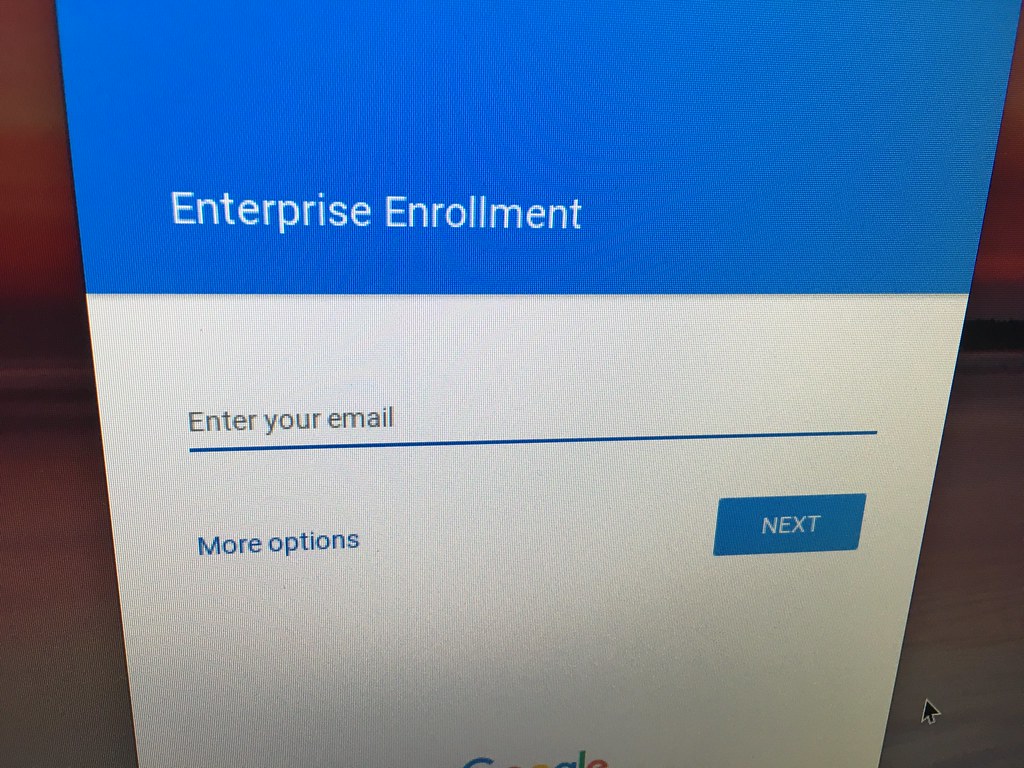
Google Chrome Enterprise is receiving significant updates with the introduction of Gemini Auto Browse and improved security measures. This enhancement aims to streamline user experience while ensuring robust protection.
What is Google Chrome Enterprise?
Google Chrome Enterprise is a powerful web browser designed specifically for businesses and organizations, offering a suite of robust features aimed at enhancing productivity and security. This enterprise-focused version of Google Chrome allows IT administrators to manage and deploy browser settings across multiple devices seamlessly.
One of the standout aspects of Google Chrome Enterprise is its emphasis on security. With frequent updates and new features, businesses can rest assured that their data is protected against evolving cyber threats. The latest update introduces enhancements such as Gemini Auto Browse, which streamlines browsing experiences while maintaining a high level of security.
In addition to security features, Google Chrome Enterprise supports various policies and configurations to cater to diverse organizational needs. These include:
- Centralized Management: IT teams can easily enforce policies across all users.
- Enhanced Security Controls: Features like sandboxing, automatic updates, and advanced malware protection.
- Customizable User Experiences: Organizations can tailor the browser experience to match their specific requirements.
Overall, Google Chrome Enterprise represents a comprehensive solution for organizations looking to improve their online security and browsing efficiency, making it an essential tool in today’s digital landscape.
Overview of the Latest Features
The latest update to Google Chrome Enterprise introduces several innovative features designed to enhance user experience and bolster security. Among these, the most notable is the integration of Gemini Auto Browse, which streamlines browsing for businesses by automating routine tasks. This feature allows users to navigate through web pages seamlessly, improving productivity while maintaining a secure environment.
Another significant enhancement is the improved security protocols within the browser. Google has fortified its defenses against phishing attacks and malware, ensuring that sensitive company data remains protected. The update includes advanced threat detection mechanisms that provide real-time alerts, allowing IT administrators to respond swiftly to potential risks.
Additionally, the latest version of Google Chrome Enterprise offers enhanced control over user settings and permissions. Organizations can now customize security settings more effectively, ensuring compliance with industry regulations and internal policies.
To summarize, the recent enhancements to Google Chrome Enterprise reflect Google’s commitment to providing robust security features and a user-friendly experience. With tools like Gemini Auto Browse and advanced security protocols, businesses can feel confident in their browsing capabilities while prioritizing safety.
Gemini Auto Browse Explained
The latest update to Google Chrome Enterprise introduces an innovative feature known as Gemini Auto Browse. This advanced tool is designed to enhance user productivity and streamline web navigation for enterprises. By leveraging cutting-edge algorithms, Gemini Auto Browse allows users to automate routine browsing tasks, saving time and effort that can be redirected towards more critical projects.
With Gemini Auto Browse, employees can configure the browser to perform specific actions automatically, such as filling out forms, navigating to particular websites, or executing repetitive tasks. This feature is particularly beneficial for organizations that rely on web applications, enabling smoother workflows without compromising security.
Security remains a top priority for Google Chrome Enterprise, and Gemini Auto Browse is built with this in mind. The feature integrates seamlessly with existing security protocols, ensuring that automated actions do not expose sensitive information or create vulnerabilities. Additionally, administrators can monitor and control usage, providing peace of mind while maintaining productivity.
In summary, Gemini Auto Browse exemplifies Google Chrome Enterprise’s commitment to enhancing user experience through innovation while reinforcing robust security measures. As businesses continue to embrace digital transformation, features like this will play a crucial role in optimizing workflows and maintaining a secure browsing environment.
Security Enhancements in Chrome
Google Chrome Enterprise has introduced significant security enhancements that bolster its reputation as a leading browser for corporate environments. These updates are designed to address the evolving cybersecurity landscape and ensure that businesses can operate securely.
One of the key features is the improved malware protection, which utilizes advanced machine learning algorithms to detect and block threats before they can affect users. This proactive approach significantly reduces the risk of data breaches and enhances overall security.
In addition to malware protection, Google Chrome Enterprise now includes enhanced password management. This feature encourages users to create strong, unique passwords for different sites and alerts them if any of their credentials are compromised in a data breach. By integrating this functionality, Google aims to mitigate the risks associated with weak passwords.
Moreover, the browser now supports secure browsing modes that are tailored for enterprise use. These modes limit exposure to potentially harmful websites and content, providing IT administrators with greater control over the browsing experience.
Overall, these security enhancements make Google Chrome Enterprise a robust solution for organizations seeking to protect their sensitive information while empowering users to browse safely and efficiently.
User Experience Improvements
Google Chrome Enterprise continues to enhance user experience with a series of thoughtful improvements designed to streamline workflows and increase productivity. With the latest update, users can expect a more intuitive interface and faster navigation, making everyday tasks less cumbersome.
One notable improvement is the integration of Gemini Auto Browse, which enables users to automate repetitive browsing tasks. This feature minimizes the need for manual input by automatically navigating to relevant sites and gathering information, thereby allowing employees to focus on more critical activities.
Additionally, the update includes enhanced tab management capabilities. Users can now organize tabs more efficiently, with options to group them by project or priority. This functionality helps in reducing clutter and improving focus, ensuring that users can easily find what they need without unnecessary distractions.
Furthermore, Google has introduced a new customization tool that allows organizations to tailor the browser’s appearance and functionality to better suit their specific needs. This customization ensures that teams can create an environment that fosters collaboration and maximizes efficiency.
Overall, these user experience improvements in Google Chrome Enterprise not only enhance usability but also contribute to a more secure and efficient working environment, ultimately supporting organizational goals.
How to Update Chrome Enterprise
Updating Google Chrome Enterprise is a straightforward process that ensures your organization benefits from the latest features and security enhancements. To initiate an update, administrators can follow these steps:
- Check Current Version: Before proceeding, verify the current version of Chrome Enterprise installed on your devices. This can be done by navigating to the settings menu and selecting the “About Chrome” section.
- Access the Admin Console: Log in to the Google Admin Console using your administrator credentials. This console serves as the central hub for managing Chrome devices and policies.
- Review Update Settings: Within the Admin Console, locate the device management section. Ensure that auto-updates are enabled to allow seamless upgrades to the latest versions.
- Force an Update: If necessary, you can manually trigger an update. Select the devices you wish to update, then use the appropriate command to push the new version of Chrome Enterprise to those devices.
- Monitor Update Progress: After initiating the update, monitor the progress through the Admin Console, ensuring all devices transition to the latest version smoothly.
By keeping Google Chrome Enterprise updated, organizations can maintain optimal security and functionality across their devices.
Benefits for Businesses
Google Chrome Enterprise offers a range of benefits specifically designed to meet the needs of businesses, enhancing productivity and security across the board. One of the main advantages is its robust security features, which ensure that sensitive company data remains protected against evolving cyber threats. With regular updates and enhanced security protocols, organizations can feel confident in their digital safety.
Additionally, Chrome Enterprise integrates seamlessly with existing IT infrastructure, making deployment and management more efficient for IT teams. This compatibility allows businesses to leverage their current systems while benefiting from the latest advancements in browser technology.
Another significant benefit is the customizable user experience that Chrome Enterprise provides. Administrators can tailor settings and features to align with company policies, ensuring that employees have access to the tools they need without compromising security. Furthermore, the inclusion of features such as Gemini Auto Browse enhances productivity by automating routine tasks, allowing employees to focus on more strategic initiatives.
Key benefits of Google Chrome Enterprise include:
- Enhanced security measures to protect sensitive data.
- Seamless integration with existing IT environments.
- Customizable user experiences tailored to company needs.
- Productivity features like Gemini Auto Browse.
Conclusion: The Future of Chrome Enterprise
As we look to the future of Google Chrome Enterprise, it is evident that the focus on security and user experience will remain at the forefront of its development. With the recent updates, including the introduction of features like Gemini Auto Browse, businesses can expect enhanced efficiency and streamlined workflows.
The commitment to robust security measures ensures that organizations can operate with confidence, knowing their data is protected against evolving cyber threats. This is particularly crucial as more companies transition to remote and hybrid work models, where secure browsing becomes paramount.
Moreover, the continuous improvement in user experience through intuitive design and functionality will help teams maximize productivity. The updates not only cater to IT administrators but also prioritize the needs of end-users, creating a more cohesive working environment.
In conclusion, Google Chrome Enterprise is poised to lead the way in secure and efficient browser solutions for businesses. The combination of innovative features and proven security enhancements sets a strong foundation for future updates. As organizations adapt to the changing digital landscape, embracing tools like Chrome Enterprise will be essential for staying competitive and safeguarding their operations.
By Wesley Fryer via Openverse
Where this came from
Related reading
Is the Frostpunk Switch release Worth the Hype? · RobCo Billion Valuation: The Proven Impact of AI Demand · Metro 2033 Redux update: Free Next-Gen Upgrade Coming Soon